One Markdown file per meeting
YAML front matter with date, duration, participants and link. Drops straight into Obsidian or Notion.
 Transcript Exporter
Coming soon to the Chrome Web Store
Transcript Exporter
Coming soon to the Chrome Web Store
Bulk export tl;dv and Otter.ai transcripts, AI notes and highlights to Markdown, TXT, SRT, CSV or JSON. One ZIP, ready for Obsidian, Notion or your archive.
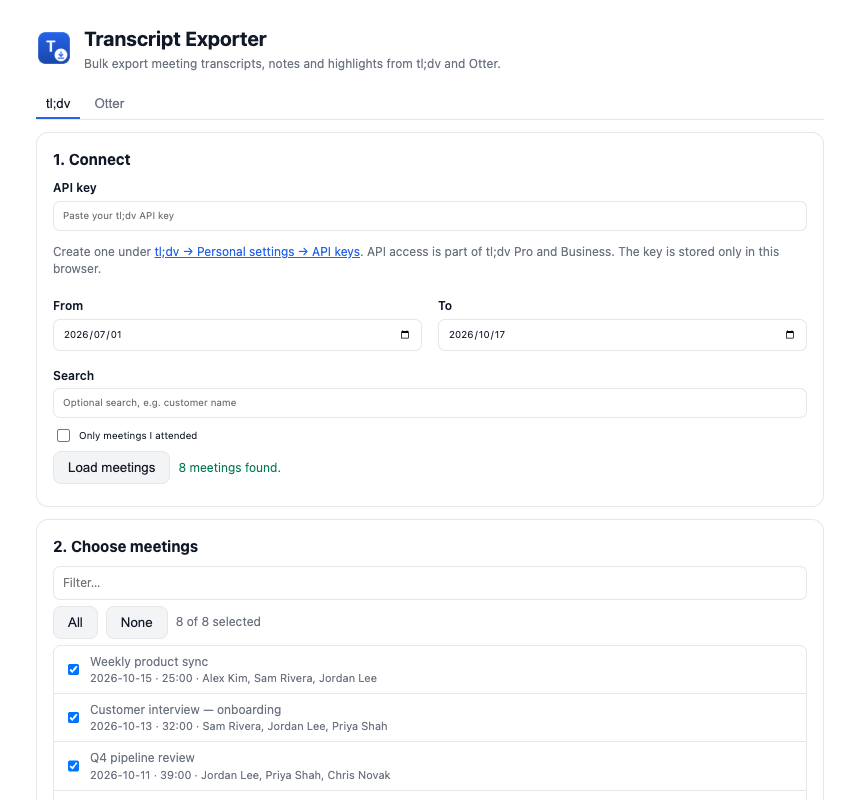
tl;dv and Otter keep your meetings, but getting them out means opening each one and copying it by hand. Transcript Exporter turns hundreds of meetings into clean files in a few minutes.
YAML front matter with date, duration, participants and link. Drops straight into Obsidian or Notion.
Plain text, SRT subtitles and raw JSON alongside Markdown. Pick any combination.
A spreadsheet of every exported meeting with date, duration, participants and link.
Date range, keyword search and “only meetings I attended” for tl;dv.
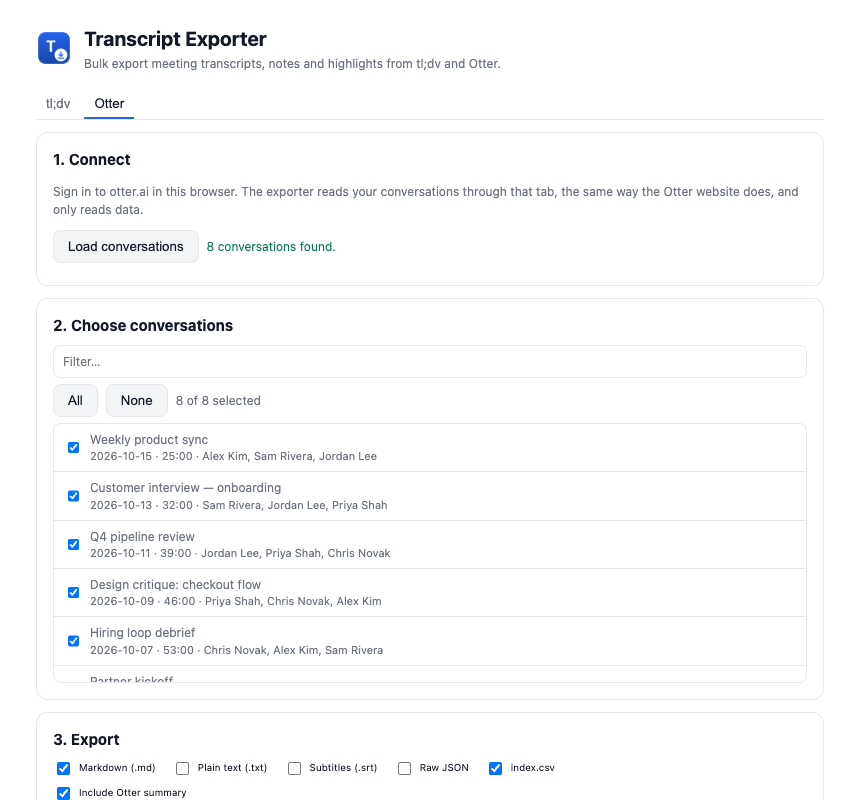
tl;dv AI notes and highlights, Otter summaries, and speaker turns with timestamps.
Optionally queue tl;dv MP4 recordings in Chrome’s downloads.
tl;dv: paste your API key from Personal settings → API keys (Pro or Business plan). Otter: stay signed in to otter.ai.
Load your meetings, filter by date or keyword, and tick the ones you want.
Click Export selected. One ZIP lands in your Downloads folder.
Each export is one ZIP. Formats you pick get their own folder, and index.csv lists every meeting.
tldv-export-2026-10-17.zip
├── markdown/
│   ├── 2026-10-15 Weekly product sync.md
│   ├── 2026-10-13 Customer interview — onboarding.md
│   └── …
├── text/
├── subtitles/
│   └── 2026-10-15 Weekly product sync.srt
└── index.csv
---
title: "Weekly product sync"
date: "2026-10-15T15:00:00.000Z"
duration: "25:00"
platform: "tl;dv"
participants:
  - "Alex Kim"
  - "Sam Rivera"
---
# Weekly product sync

## Notes
- Onboarding checklist shipped
- Activation +8% week over week

## Transcript
**Alex Kim** [00:03]
Thanks everyone for joining, let us start with updates.
Transcript Exporter runs entirely inside Chrome. Data goes from the service you already use straight to your own computer.
tl;dv includes API access in its Pro and Business plans. Create a key under Personal settings → API keys and paste it into the exporter.
Stay signed in to otter.ai in Chrome. The exporter reads your conversations through that tab, the same way the Otter website does, and only reads data.
Straight from tl;dv or Otter to your computer. Nothing is sent to our servers, and your API key is stored only in your browser.
Yes, Transcript Exporter is free during launch.
No. Transcript Exporter is an independent tool and is not affiliated with, endorsed by or sponsored by tl;dv or Otter.ai.
Email support@topgear7.com and tell us what you clicked and what you saw.
Every meeting transcript, in one ZIP. Free during launch.
Coming soon to the Chrome Web Store